Stay calm in the messy part
The difficult part was rarely one problem. It was not knowing how many problems were still waiting. Keeping calm became part of the work.
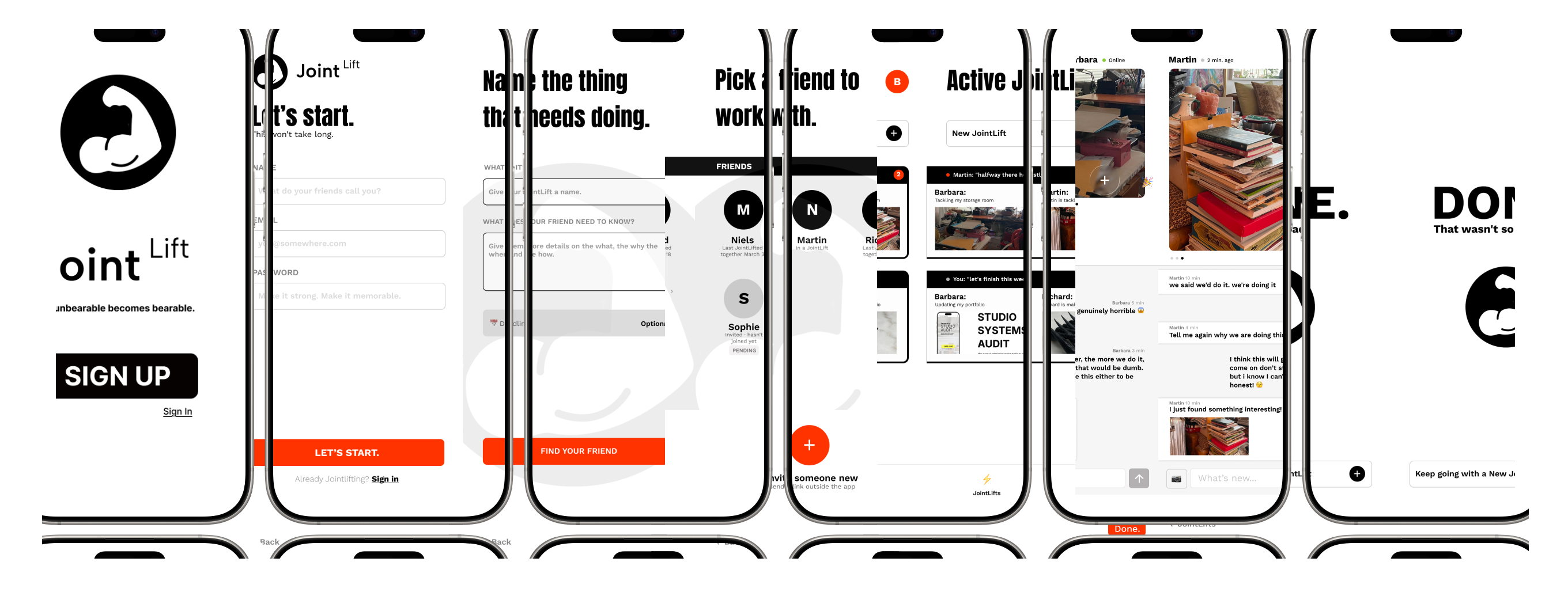
A focused space for two collaborators who need to keep one shared project moving.
I designed JointLift in Figma, then built a working iOS MVP through an AI assisted process and took Build 2 through external TestFlight approval.
Product design, interaction design and AI assisted build
2026
Figma, React Native, Expo, Supabase, Resend, Claude Code, Codex and ChatGPT
Approved for external TestFlight testing
Starting a task alone can be harder than doing it. WhatsApp helped because someone else was there, but it was also where family, work, groups and everything else lived.
Two collaborators with different responsibilities who need to keep a shared project moving without turning it into a management system.
I defined the product, designed the interface and built the working app with AI tools.
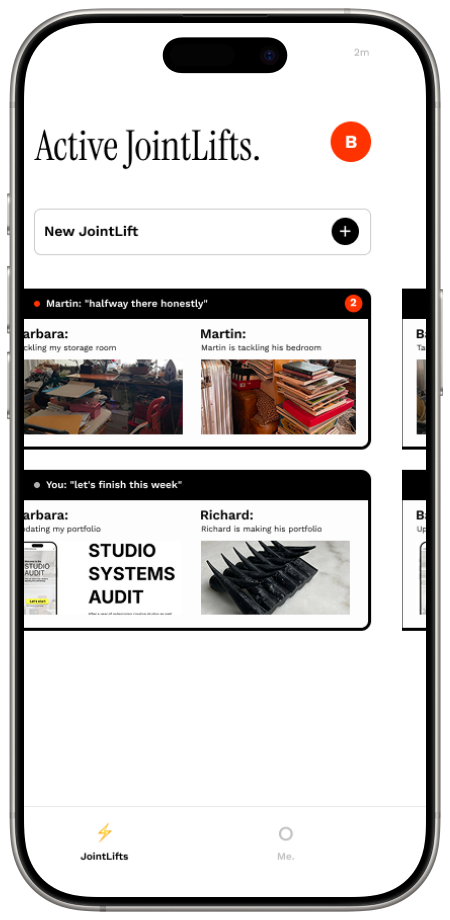
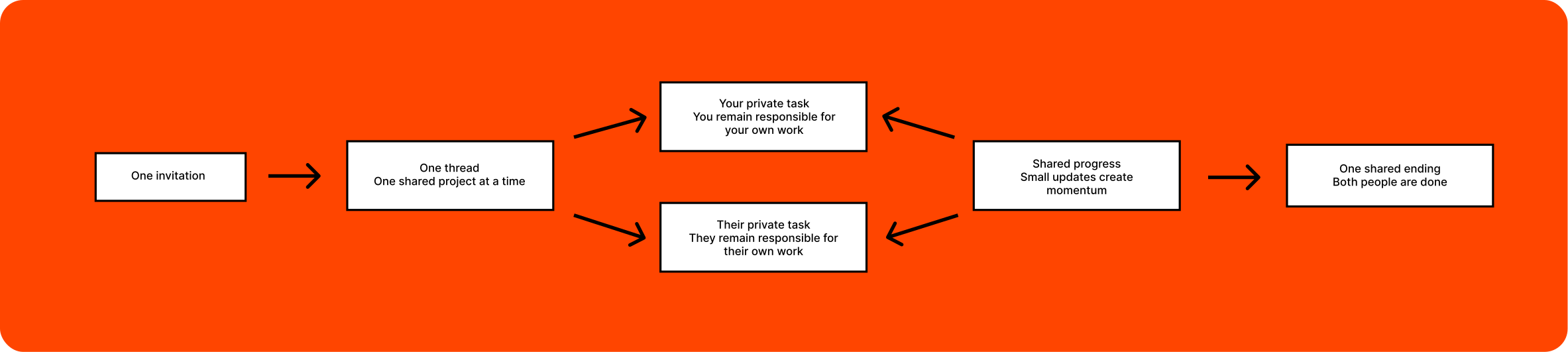
One thread per project. Each person owns their own task and shares only the updates that keep the other person moving.
Build 2 is approved for external TestFlight testing. The key flow works. I am now testing whether it helps people begin.

WhatsApp did the job at first, but it also carried the rest of our lives. It was hard to make a small act of encouragement feel separate from family, work, groups and everything else waiting there.
JointLift gives two people a place for one thing. Each person has their own task, but both can see that the other person is moving. Nothing more is needed for the idea to work.
The flow had to be simple enough to explain in one breath. Create an account. Start a JointLift. Name your task. Invite one person. Then get on with it.
Both people can send messages, images and small updates as they work. Either person can be done first. The shared ending appears only when both people are done.
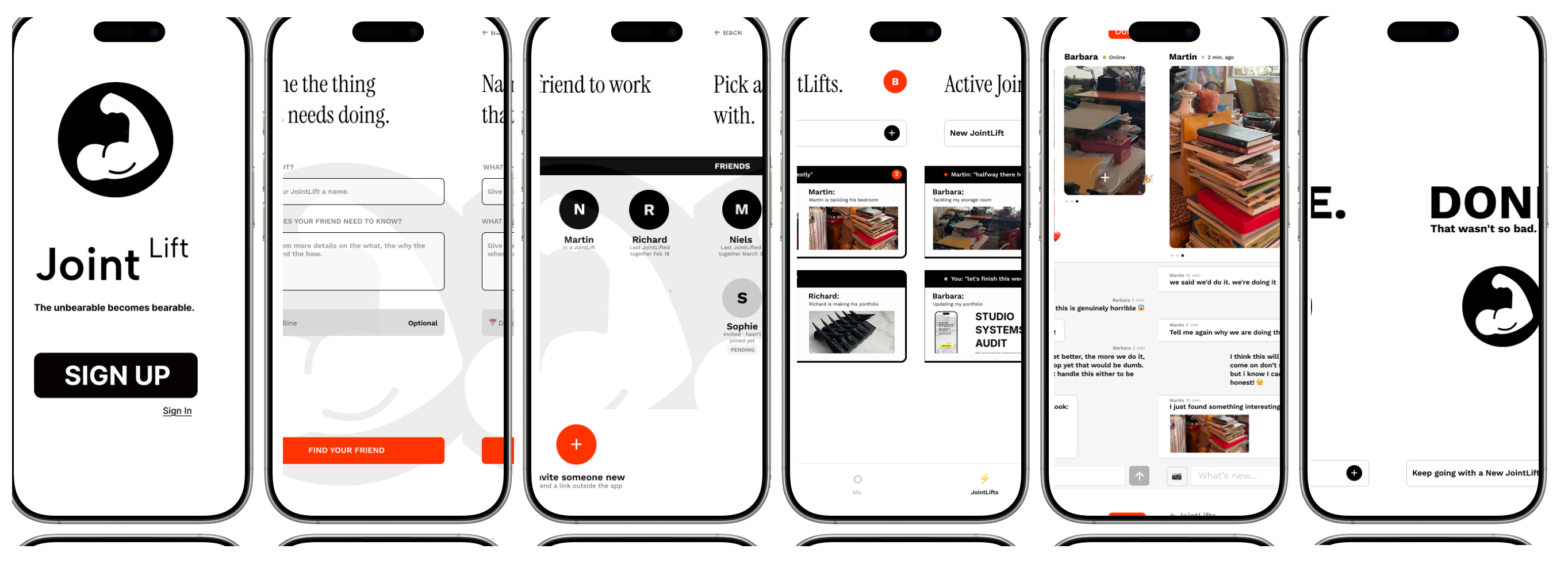
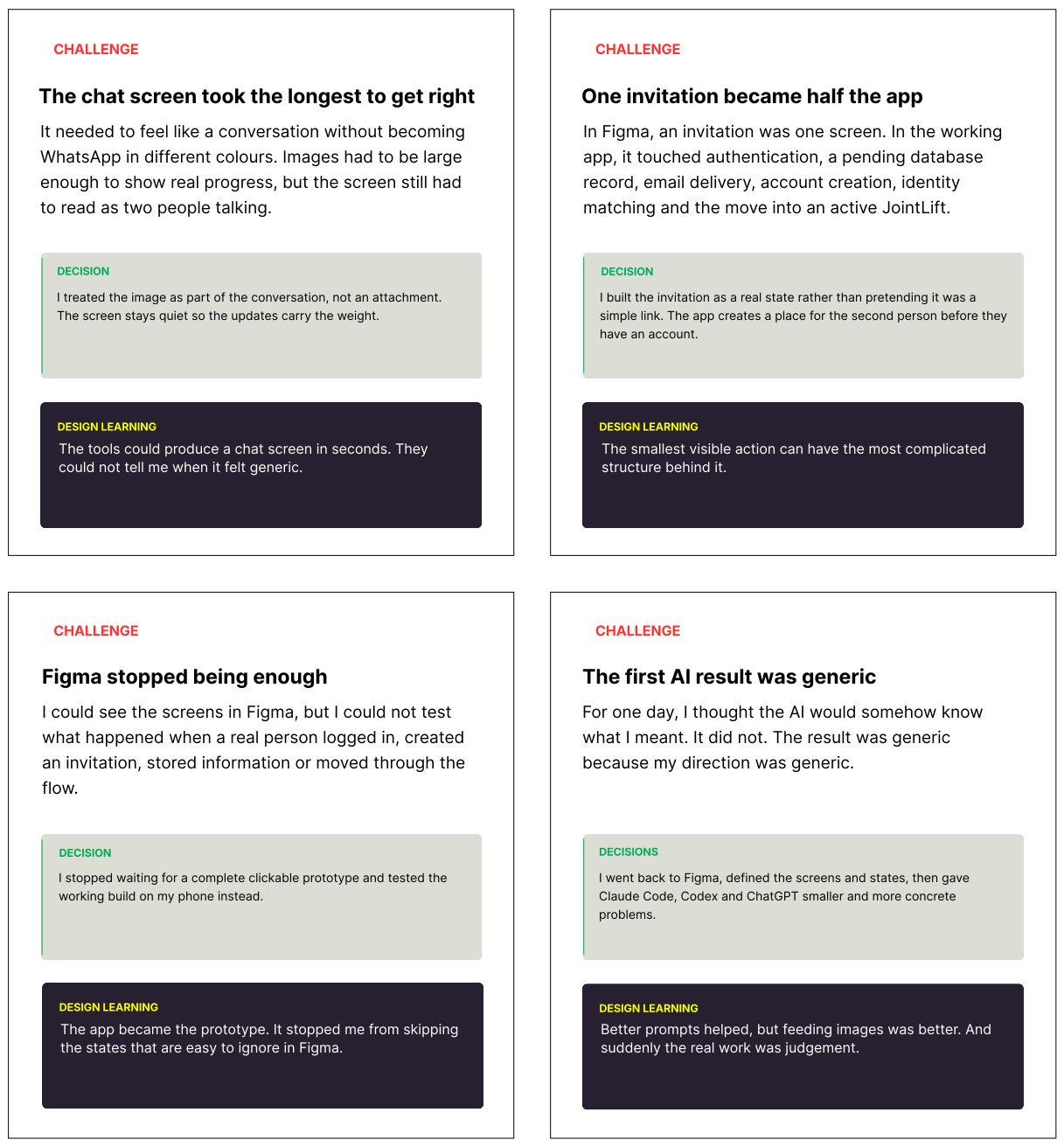
I first tried to build JointLift through words alone. That was not enough. I made the first screens in Figma and used them to guide the build. Halfway through, I realised the design was not mine, so I changed direction.
The version I kept is quieter and bolder. It gives the app a focused, deliberate feel that I wanted to open. Black and white hold the interface together. Bright orange appears only when something needs attention or action.
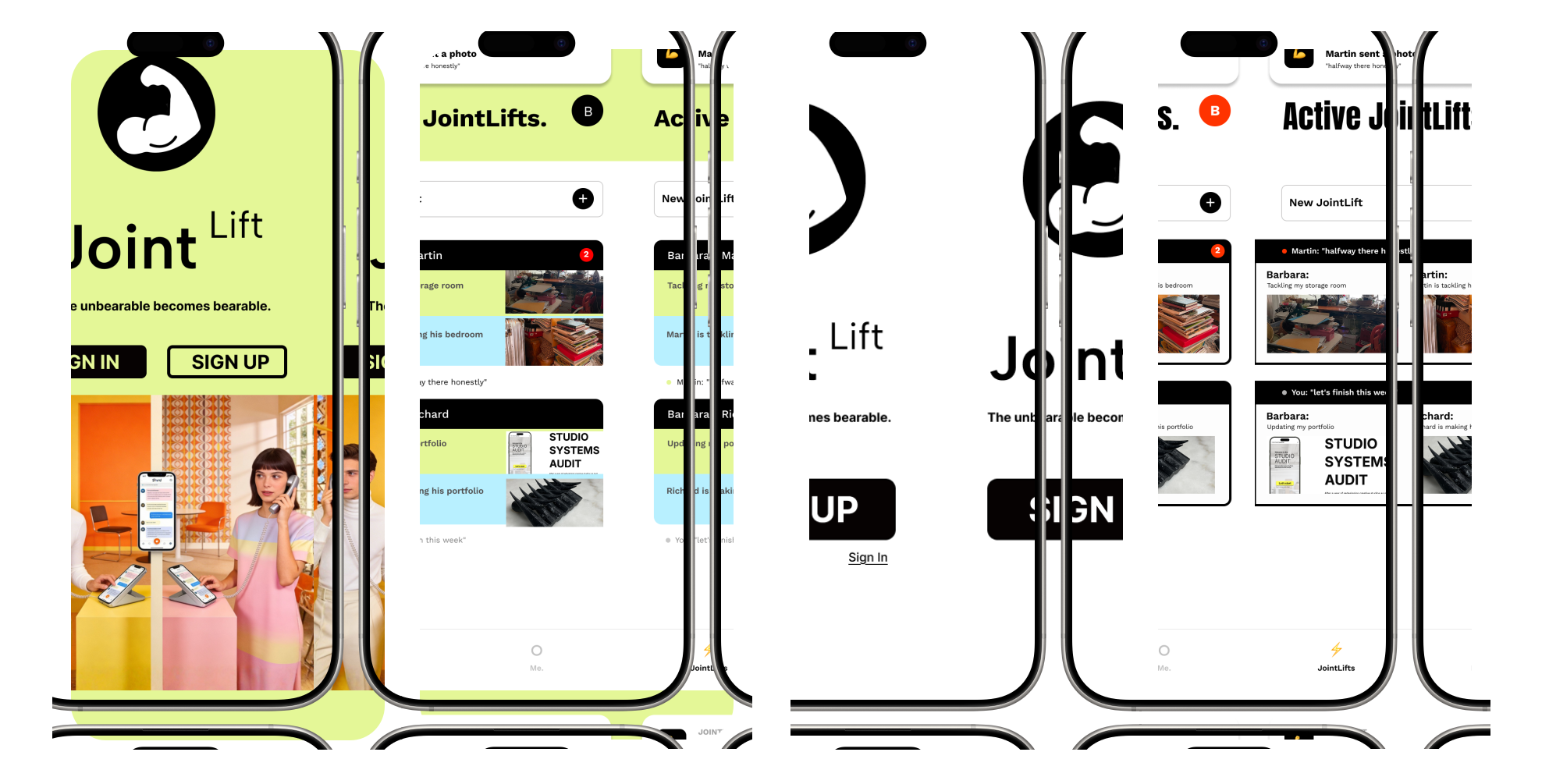
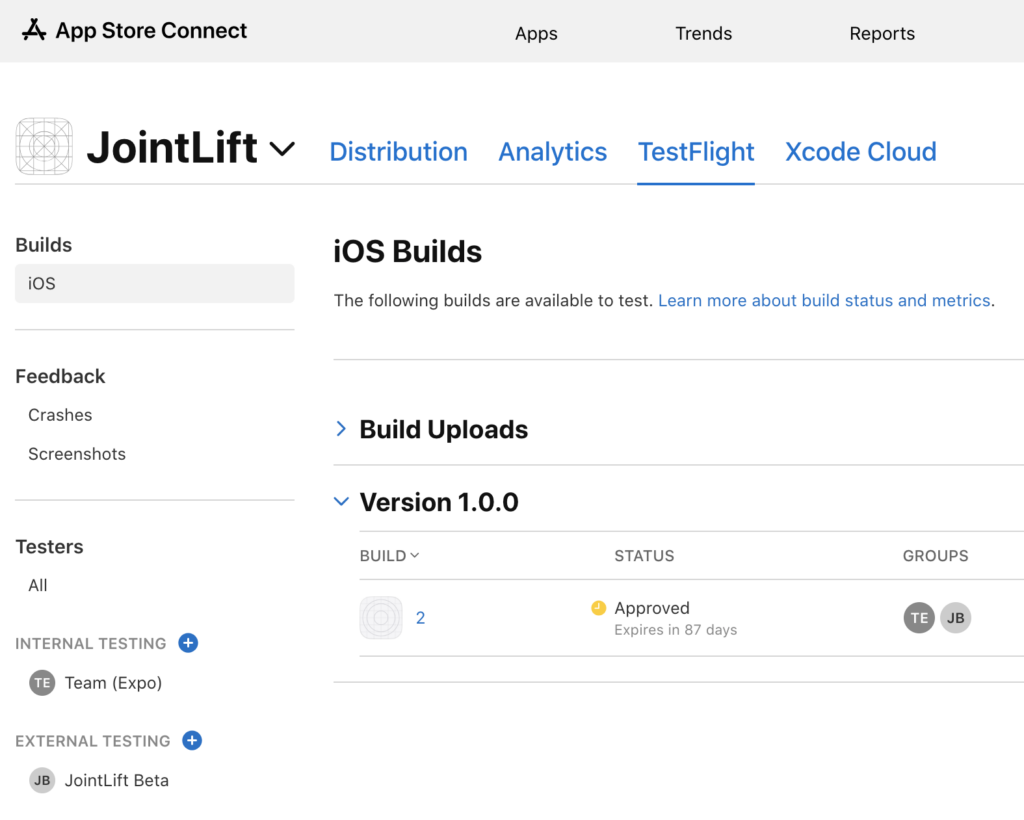
JointLift is a working iOS MVP. A person can create an account, start a JointLift, invite someone, share updates and reach a shared ending. Build 2 is approved for external TestFlight testing.
I am now testing whether this small amount of connection is enough to help people begin.
I needed to begin, find the next problem and keep going. Not knowing how to do something did not mean I could not work it out.
The difficult part was rarely one problem. It was not knowing how many problems were still waiting. Keeping calm became part of the work.
AI became useful once I could give it a clear screen, state and constraint. I checked each result against the working app and changed it when it did not feel right.
Next I want to see whether small updates can help two collaborators on the same project begin, keep moving and finish their part.
Does another person’s progress create momentum?
The complexity behind the invitation should not become the user’s problem.
Expired invitations, failed messages and missing images come next.
The basic exchange needs to prove itself first.